Everything you're doing, in lanes.
Lanes puts your work on boards you can see at a glance. Drag a card from To do to Done, plan today's few most important things, and let your meetings, Slack and AI agents keep the boards up to date.
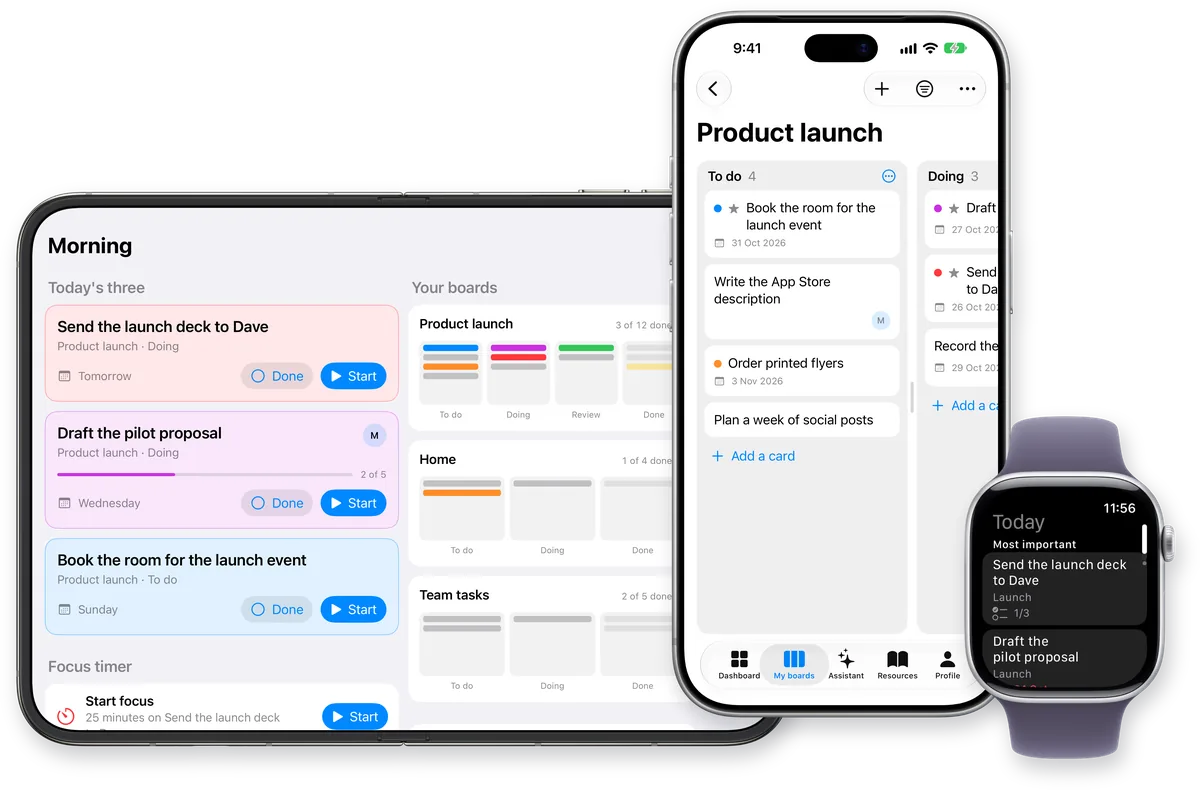
Start each day knowing what matters.
The Dashboard shows what's due today, what's overdue and what's in progress across every board, with your week and your calendar beside it. Connect Google and the tasks you agreed to in your Google Meet calls are waiting there too. Add one with a tap or dismiss it. Nothing reaches a board unless you add it.

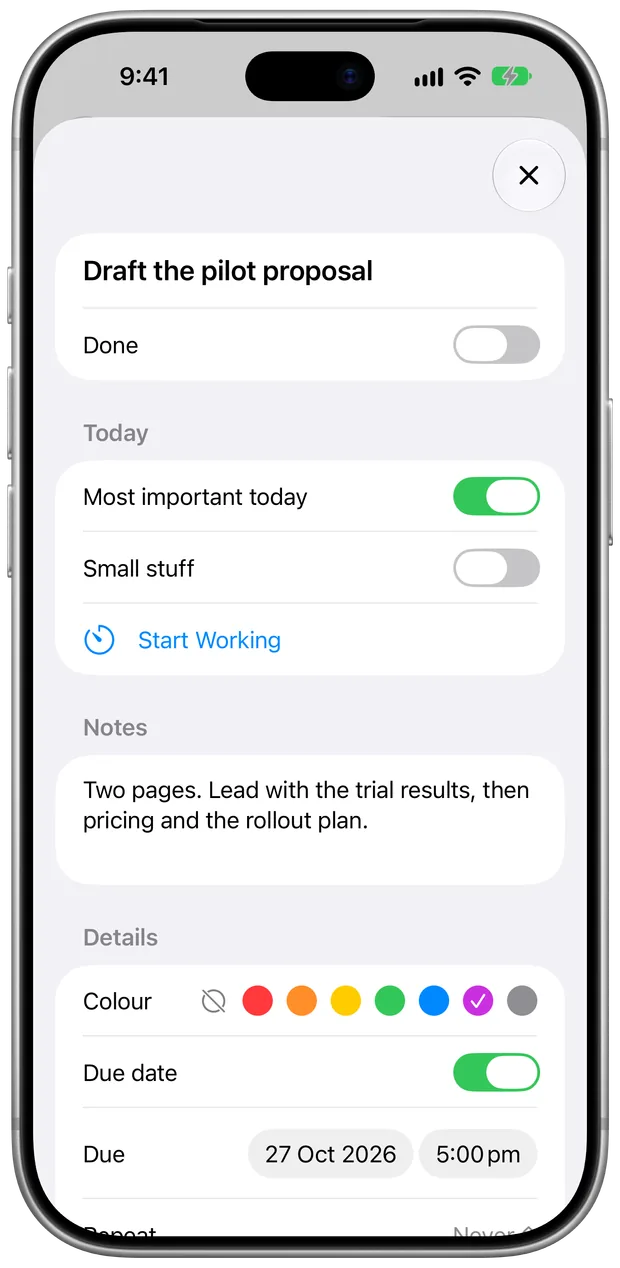
Every card holds the detail.
Notes, a checklist, photos and files, comments, labels, a colour, a due date and who it's for. Make a card repeat every week or every month, and the next one is waiting when you finish it. Save a card or a whole board as a template, or start from one of ours. Mark a card as one of today's most important things or as small stuff, and carry over what you didn't finish yesterday.
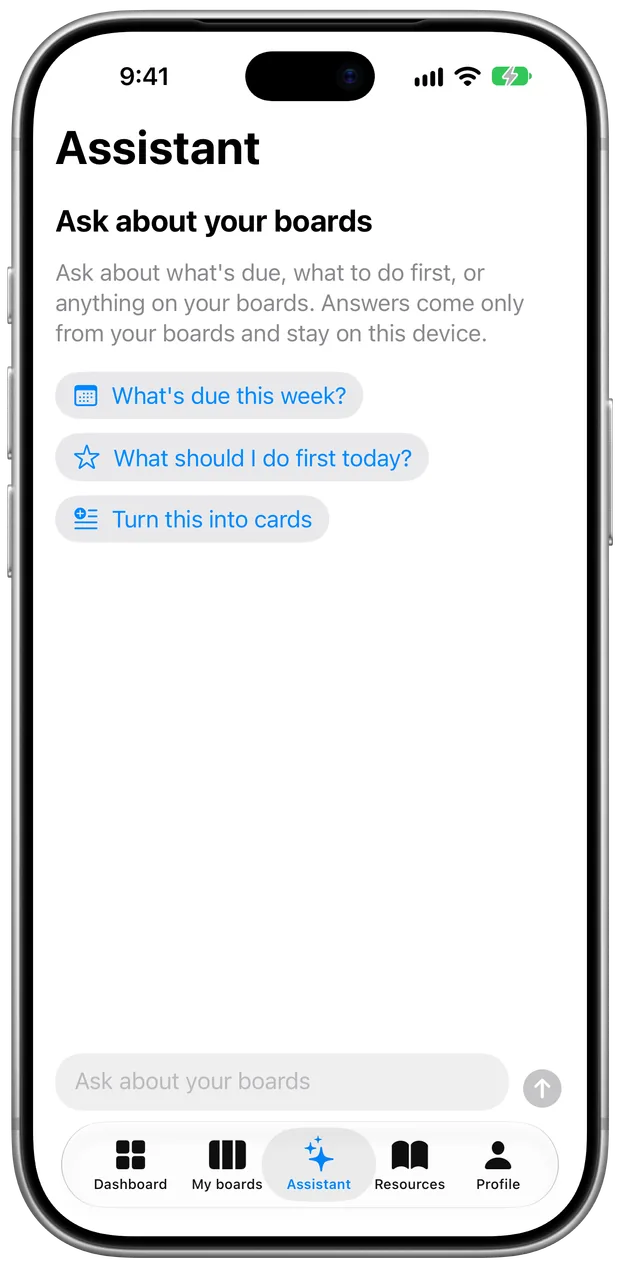
Ask about your boards.
Ask what's due this week or what to do first, or paste a list and have it turned into cards. The Assistant answers only from your boards and uses Apple Intelligence on your device, and Apple's Private Cloud Compute for longer work. Connected AI agents can leave it notes, like why a card matters or the deadline behind it, so its answers know your work.
Learn a better way to work.
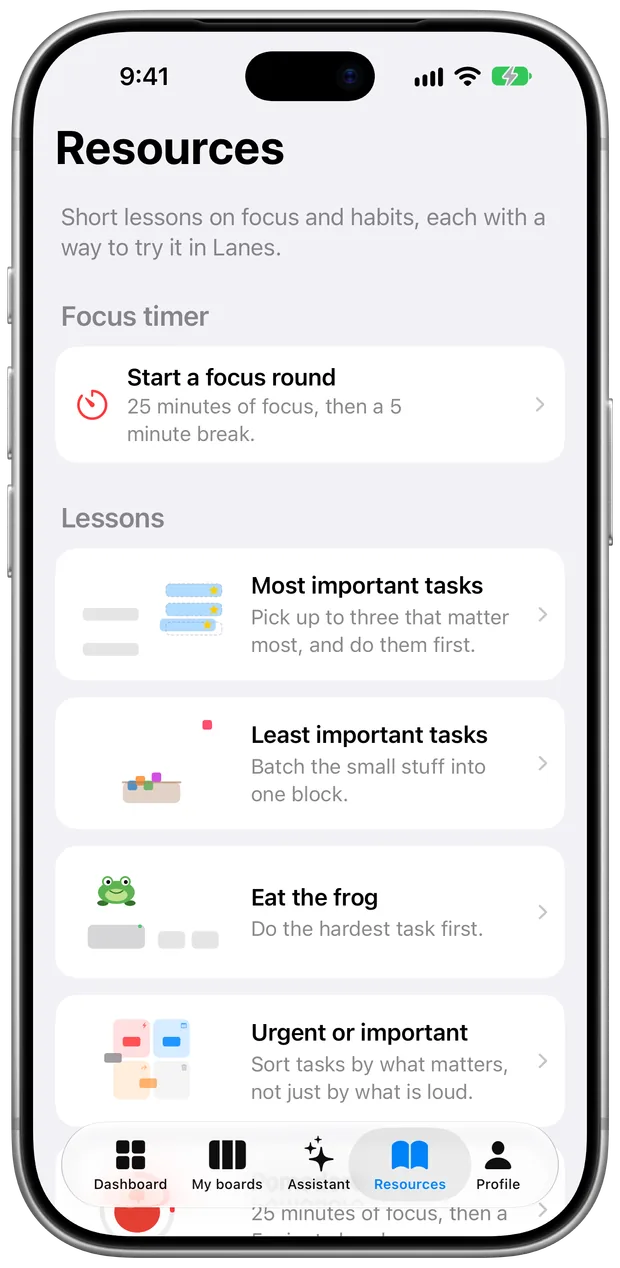
Resources has short lessons on working with boards: pick today's most important tasks, batch the small stuff, eat the frog, sort urgent from important and limit what's in progress. Each one shows a way to try it in Lanes. The focus timer is there too, for 25 minutes on one card and then a break.
Make your boards look like your wall.
Choose a theme in Profile. Drag and drop, colours and everything on your cards work the same in each one; only the look changes.
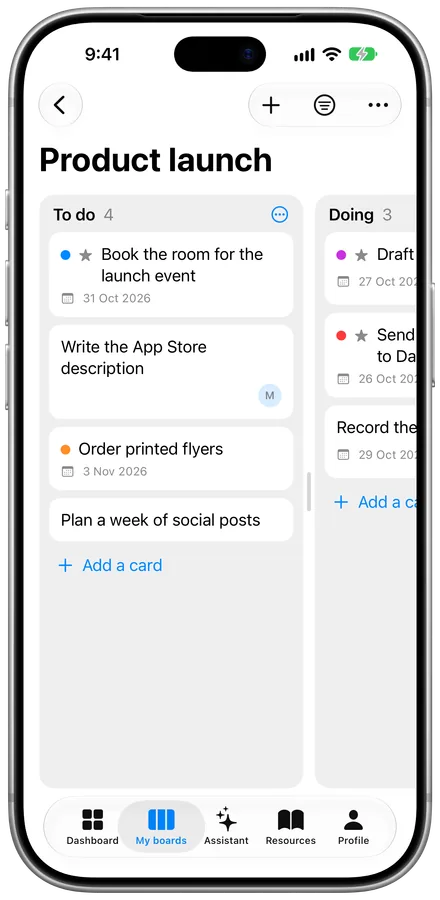
Classic
Clean lanes and cards, the way Lanes has always looked.
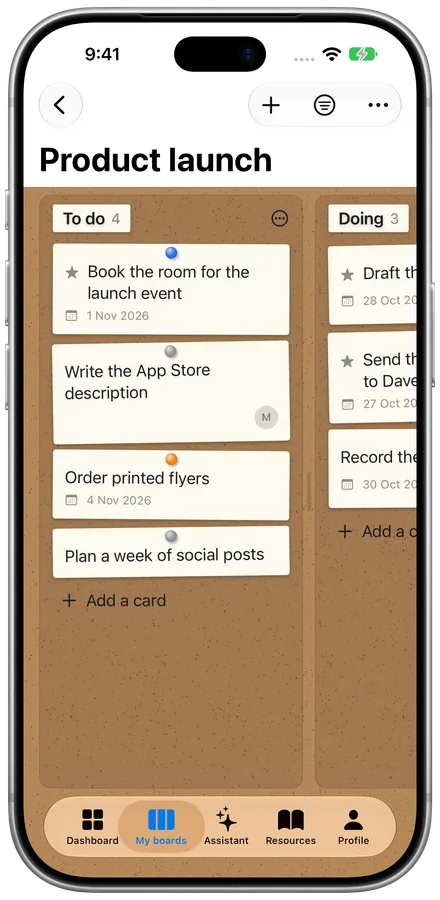
Pinboard
Cork, paper notes and a pin in each card's colour.
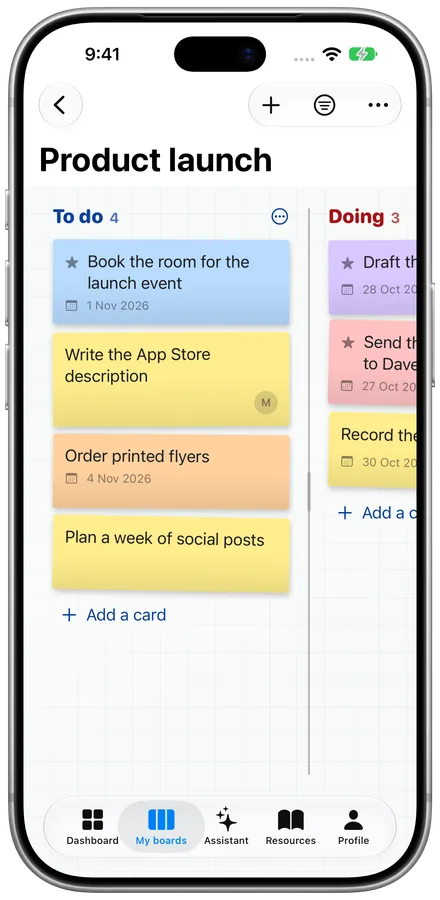
Whiteboard
Sticky notes on a white board, with marker headings.
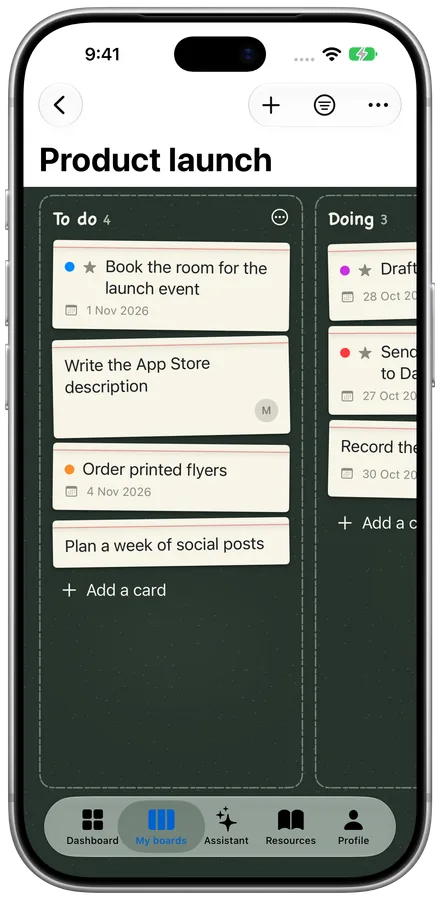
Chalkboard
Index cards on slate, easy on the eyes at night.
Find anything. Undo anything. Bring it all with you.
Search every board.
Find a card by its title, notes, checklist or comments, across all your boards at once. Tap a result and it opens.
Filter a board.
Show only your cards, what's overdue, what's due this week, a colour or a label, and hide what's done. Each board remembers its filter.
Change your mind.
Deleted or moved the wrong card? Tap Undo, shake your iPhone or press Command-Z on a Mac, and it's back where it was.
Bring your boards over.
Import a board from Trello or a spreadsheet. Labels, checklists and comments come with it, and you see it before it's added.
Take them anywhere.
Export a board, or every board, as a spreadsheet or a Lanes file you can bring back in later.
Know when it's yours.
On a shared board, Lanes tells you when someone gives you a card, or finishes or comments on one of yours.
Lanes, all over your iPhone and Apple Watch.
Your boards are there before you open the app.
Widgets.
Today's most important cards and what's due, on your Home Screen and Lock Screen. Tick one off without opening Lanes.
Siri, Shortcuts and Spotlight.
Ask Siri to add a card or what's due today, build your own Shortcuts, and find any card when you search your iPhone.
On your Apple Watch.
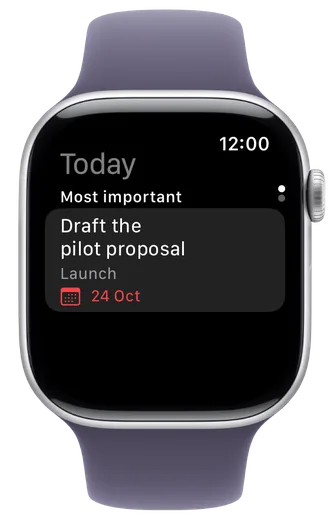
See today's cards and your boards on your wrist, tick off a card or a checklist item, and dictate a new card.
Focus filters.
Choose which boards show during a Focus, so your Work boards stay out of your evening.
Start working.
Follow the card you're working on in a Live Activity on your Lock Screen and in the Dynamic Island, with a timer and a Done button.
Built for the Mac too.
Command-F to search, Command-Z to undo, and the same boards, synced through your iCloud.
More room on a Mac.
Your boards sit in the sidebar, today's cards and every board's progress fit on one screen, and the keyboard shortcuts you already know just work.

Slack Lists, kept in sync.
Link a Slack List and it becomes a board. Its status gives the lanes and its items are the cards. Move, edit or finish a card in Lanes and the List changes too, and changes made in Slack show up in Lanes within a minute.
On every device you use.
Lanes is made for iPhone, iPad, Mac and Apple Watch, and works offline. Your boards sync through your own iCloud, and you can share a board with anyone who uses an Apple device. Reminders tell you when a card is due, and boards keep up to date in the background.
AI agents that tick things off for you.
Connect Claude or another AI agent that supports MCP, and it can read your boards, mark tasks done and keep track of what's left. You choose how much each agent can do, and on which boards.
View
Reads your boards and cards. Changes nothing.
Move
Also moves cards, marks them done or reopens them, ticks checklist items and leaves notes for the Assistant.
Where every agent startsEdit
Also adds, edits and deletes cards.
Agents only see boards while "Let AI agents use my boards" is on in Lanes. Every change an agent makes shows in the card's activity with the agent's name. Turn the switch off and the copy Lanes kept for agents is deleted.
Your boards are yours. They live on your devices and in your own iCloud. No ads, no tracking and no selling your data. The Lanes server only holds what Slack, meetings and agents need, and only while you have them on.
Free for iPhone, iPad, Mac and Apple Watch.
No account needed to start. Sign in with Apple or Google only when you want Slack, meeting tasks or AI agents.
See how they work together
-
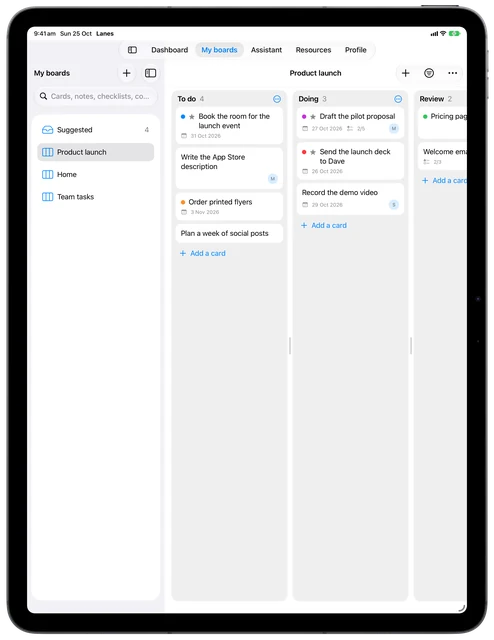
Plan on your iPad.
Lay out the week on a big board: what's to do, what's under way and what's waiting for review.
-
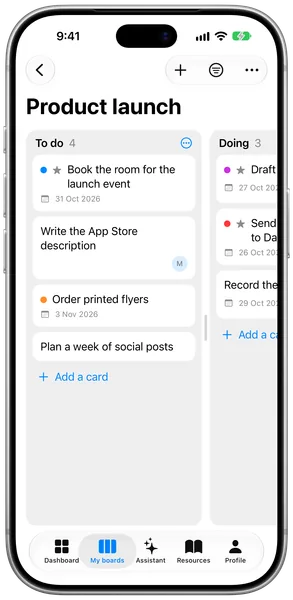
Pick it up on your iPhone.
The same board is on your iPhone moments later, through your own iCloud. Move a card on the train and it's moved everywhere.
-
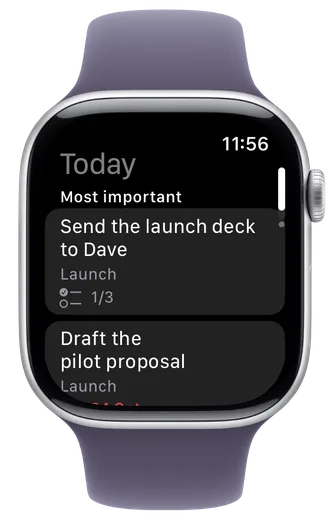
See today on your wrist.
Your most important cards for today are on your Apple Watch, with their board and due date.
-
Tick it off anywhere.
Finish a card on your Watch and it's done on your iPhone, iPad and Mac too. The next one moves up.
